Three tools became one chat, with nothing to install. A few students used it and liked not switching between apps. What they missed was pronunciation practice.
Product direction, UX/UI, bot, API, and handwriting app Built on a 2024 МПГУ diploma A Telegram bot and Web App with nothing to install. A few students used the prototype, and it’s no longer hosted.
教教教教教教教教教教教教
教教教教教教教教教教教教
教教教教教教
The short version
Situation. Learners can recognise a Chinese character and still not be able to write it. Practice was split between a dictionary, flashcards, and paper copybooks.
Task. Turn a university diploma’s research into one working product, inside the messenger learners already use.
Action. I chose Telegram over a new app, made every saved word feed every exercise, and built the bot, the API, and the handwriting app myself.
Result. Three tools became one chat, with nothing to install. A few students used it and liked not switching between apps. What they missed was pronunciation practice.
Problem
A dictionary gives you the character, how it sounds, and what it means. Writing it from memory takes a different kind of practice, and that practice lived in separate tools: a flashcard app and a paper copybook.
The project started from a 2024 МПГУ diploma by Смакова, Шаталова, and Шинкарева. Their research became my brief.
Goal
I turned the diploma’s brief into a product and built it myself: a Telegram bot, a FastAPI backend, a PostgreSQL word database, and a Vue handwriting app.
The goal was to connect looking up a character with practising it, in one place. To know if it worked, I’d look at the share of learners who save 5 words and unlock flashcards, the share who go on to handwriting, and scores on the same character over repeated attempts. The constraints were one developer, a student budget, and a chat interface that can’t draw.
Research it started from
This research was the diploma team’s, not mine. They studied copybooks, memorisation methods, and competing apps and bots, and 15 of 20 visitors at their open-day masterclass were interested in the idea. That’s a signal of interest, not a test of my product.
Their competitive analysis also showed a gap. Serious writing practice lived in separate apps, and Telegram bots were easy to start but mostly about vocabulary.
↑ More writing practiceEasier to start →SkritterTelegram botsTwo Sticks
Positioning map from the diploma team’s competitive analysis. Two Sticks aimed for the top right: easy to start, with real writing practice.
Decisions
1. A Telegram bot instead of a new app
Every new app is one more thing to install, open, and remember.
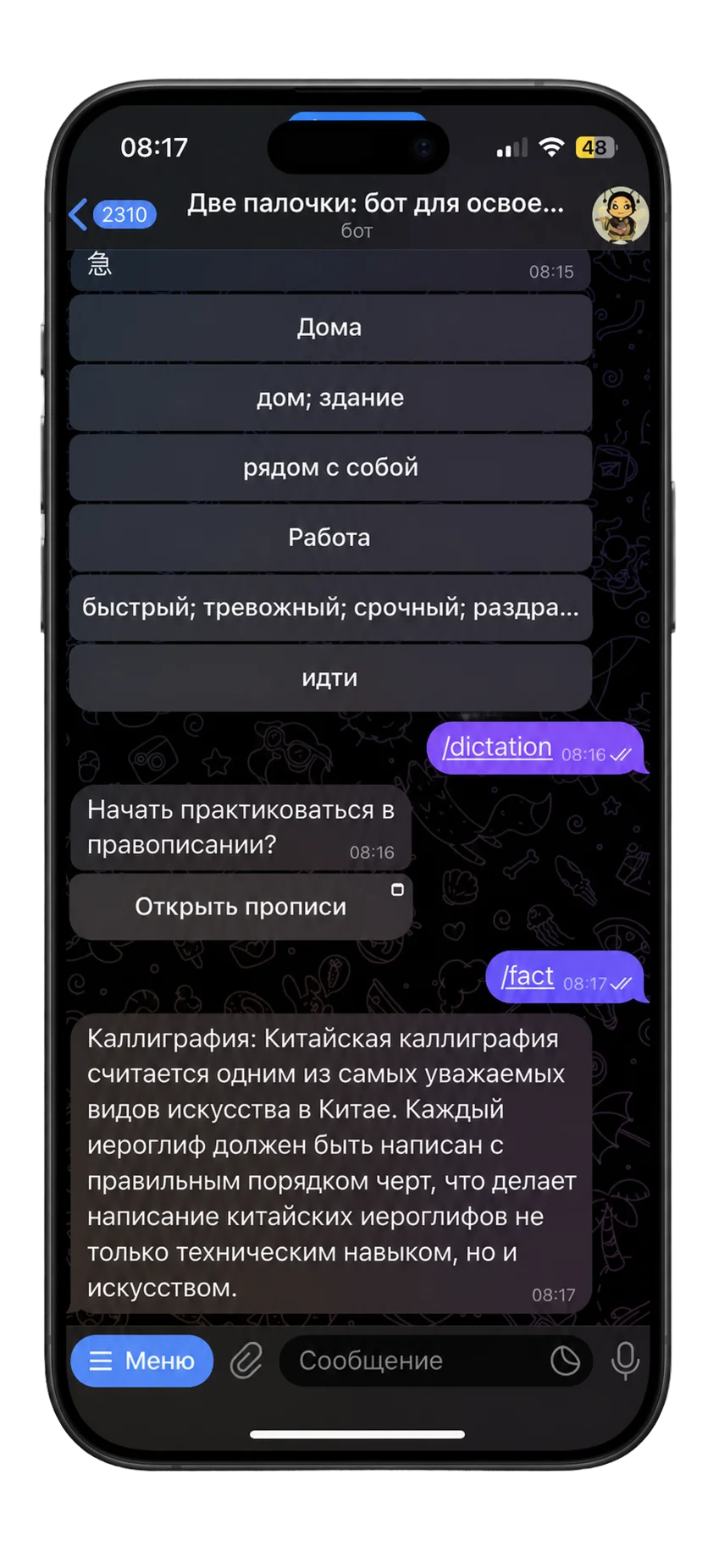
The dictation command
A button opens the handwriting practice
Handwriting opens from the chat as a Web App.
So I built a Telegram bot for search, saving, and flashcards, plus a Telegram Web App for handwriting.
Learners were already in Telegram every day. There’s nothing to install, and practice sits right next to their chats.
A standalone app would have given more freedom in the interface, but a harder start, the same trade-off Skritter makes.
2. One saved list for every exercise
Learners had to build a separate word list for each tool.
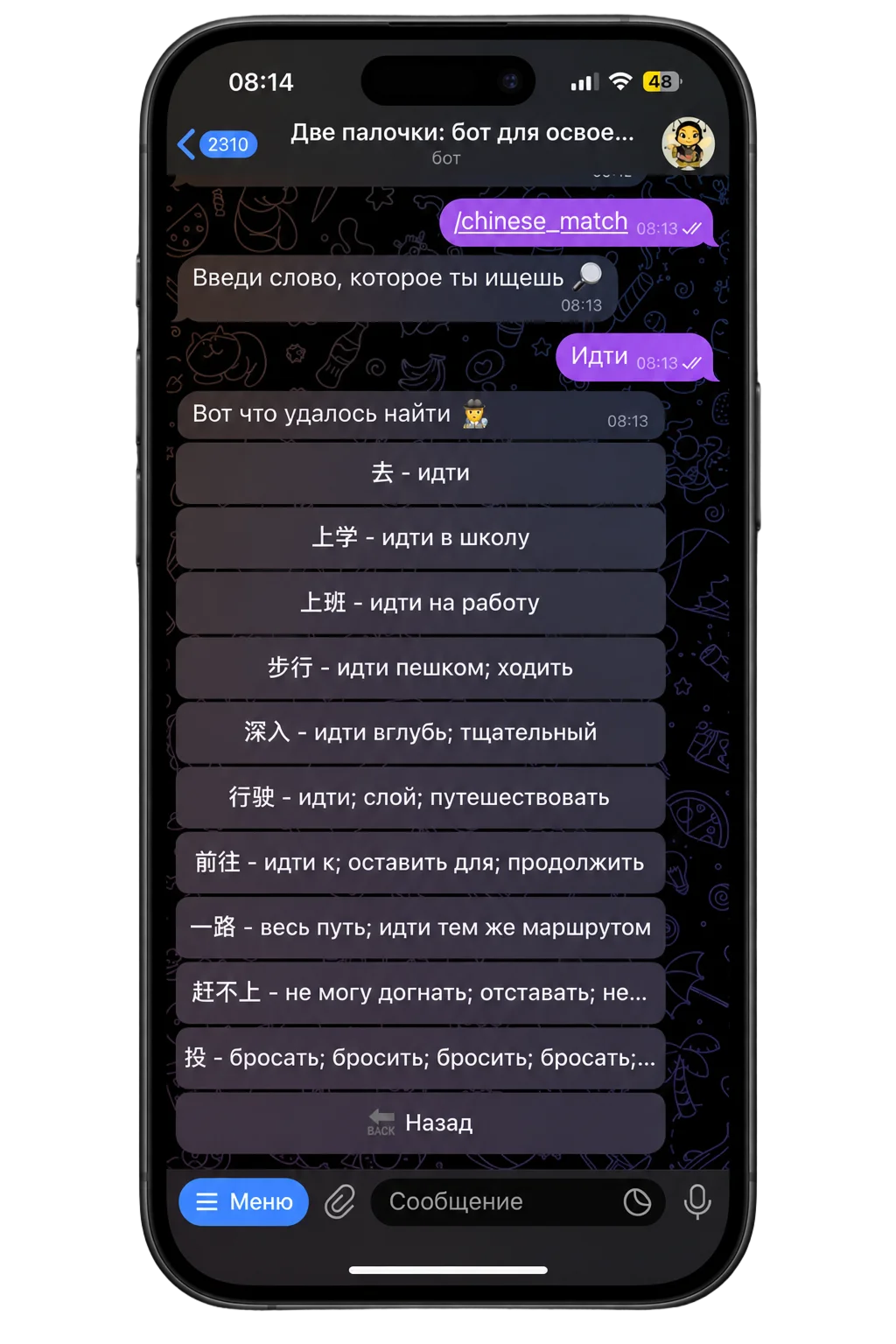
Search by a Russian word.
Pinyin, meaning, and HSK level
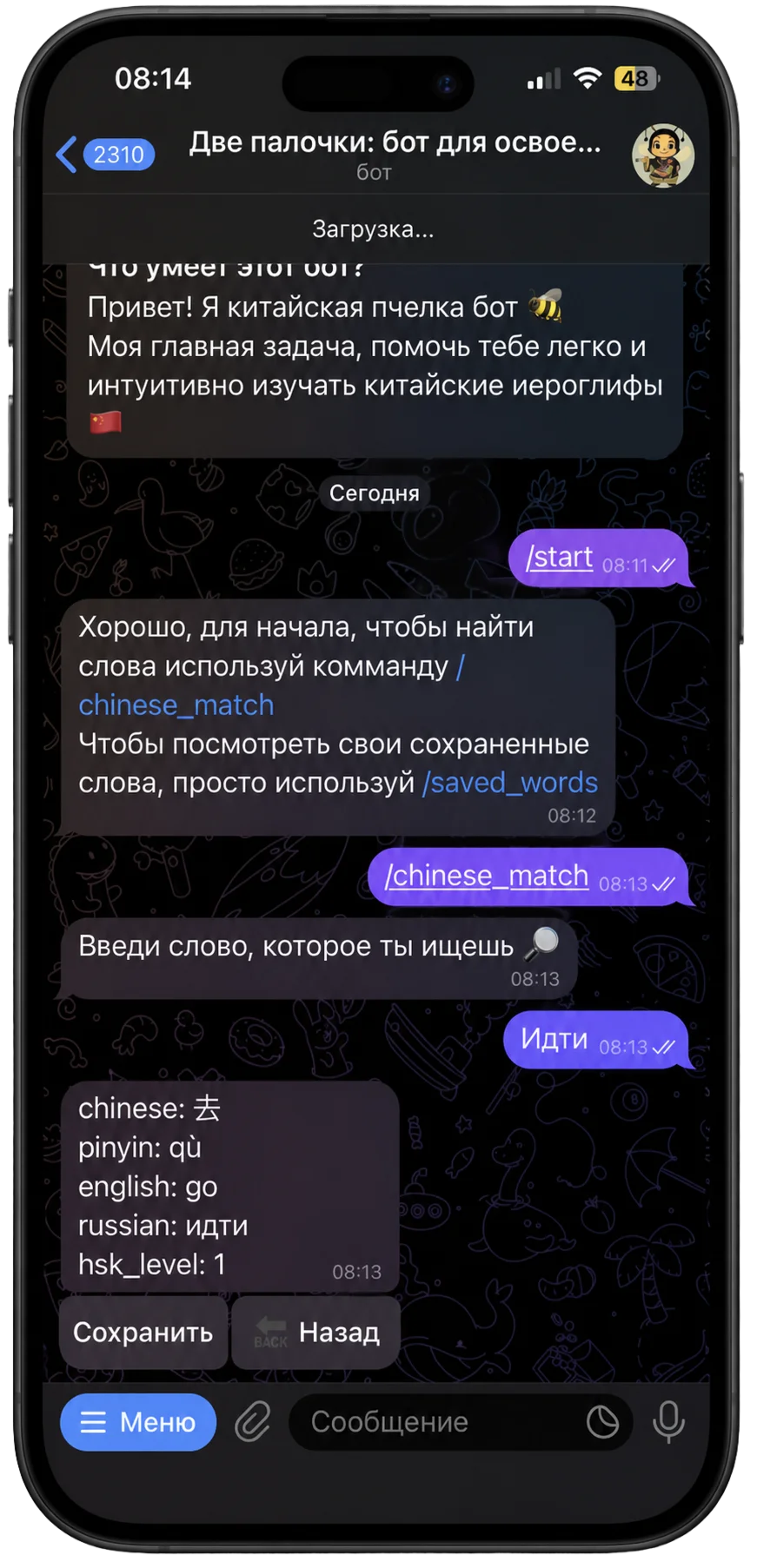
Save, right on the card
Save it from the card.
I put Save on the character card, next to pinyin, meaning, and HSK level, and flashcards, notebook sheets, and handwriting all pull from that one list.
That way every lookup can turn into practice, with no extra setup.
3. Flashcards unlock at five words
A multiple-choice card with only one or two saved words has no real wrong answers.
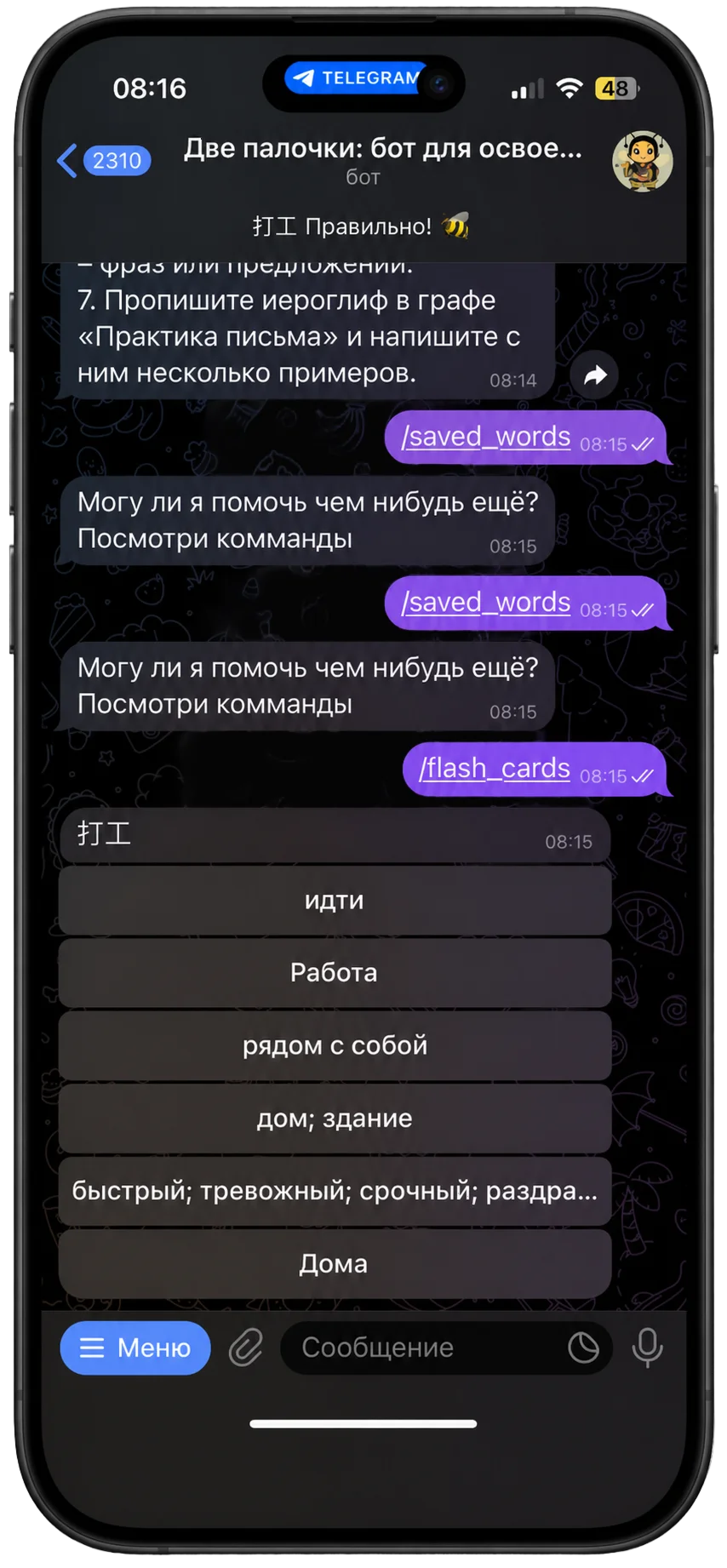
A word you saved
The other answers: your other saved words
Questions come from your own saved words.
So flashcards open once five words are saved, and until then the empty state says how many more to add.
The quiz only works with real alternatives, and the countdown turns the wait into a small goal.
4. A notebook sheet for each character
Copying a character without knowing its parts makes it hard to remember.
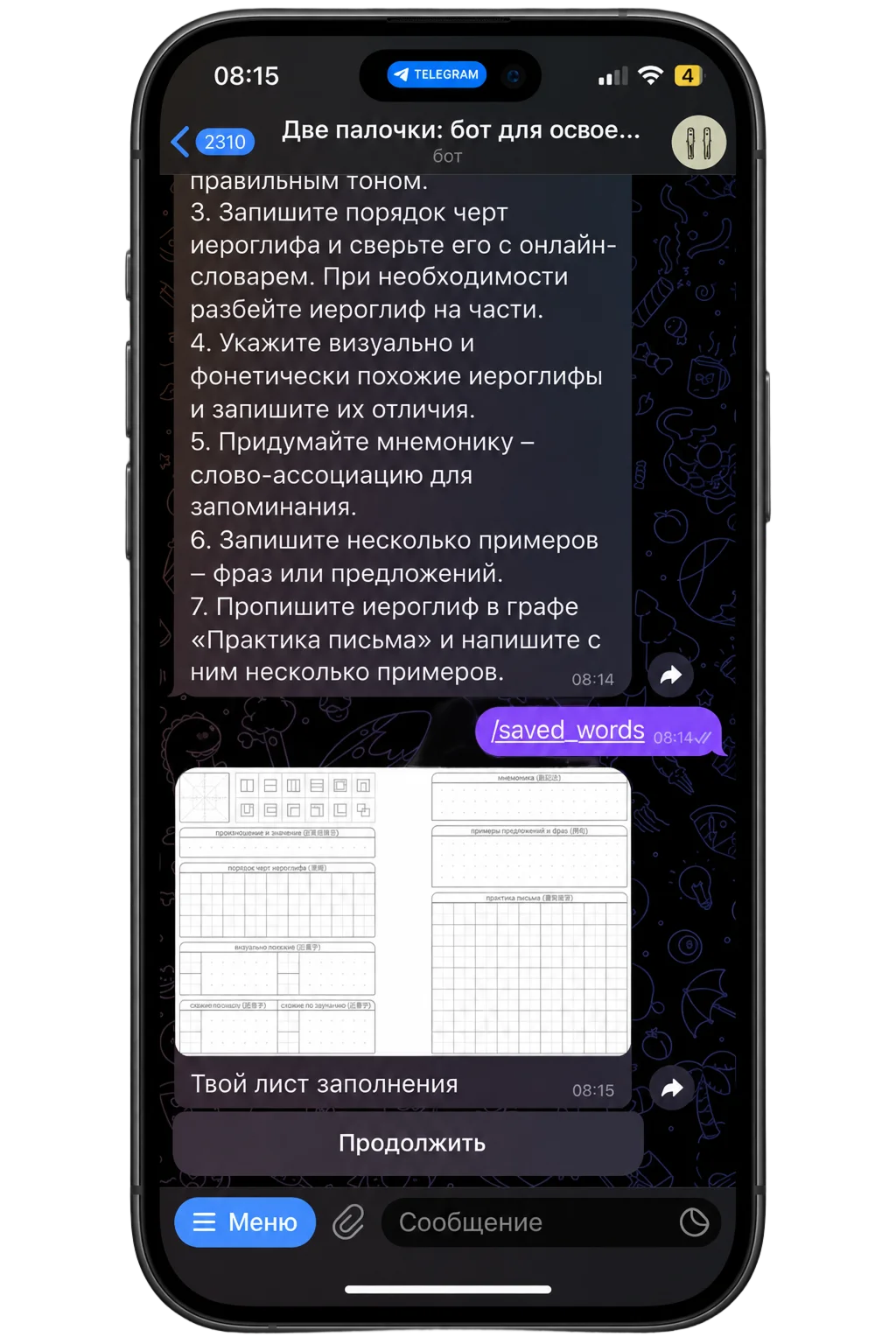
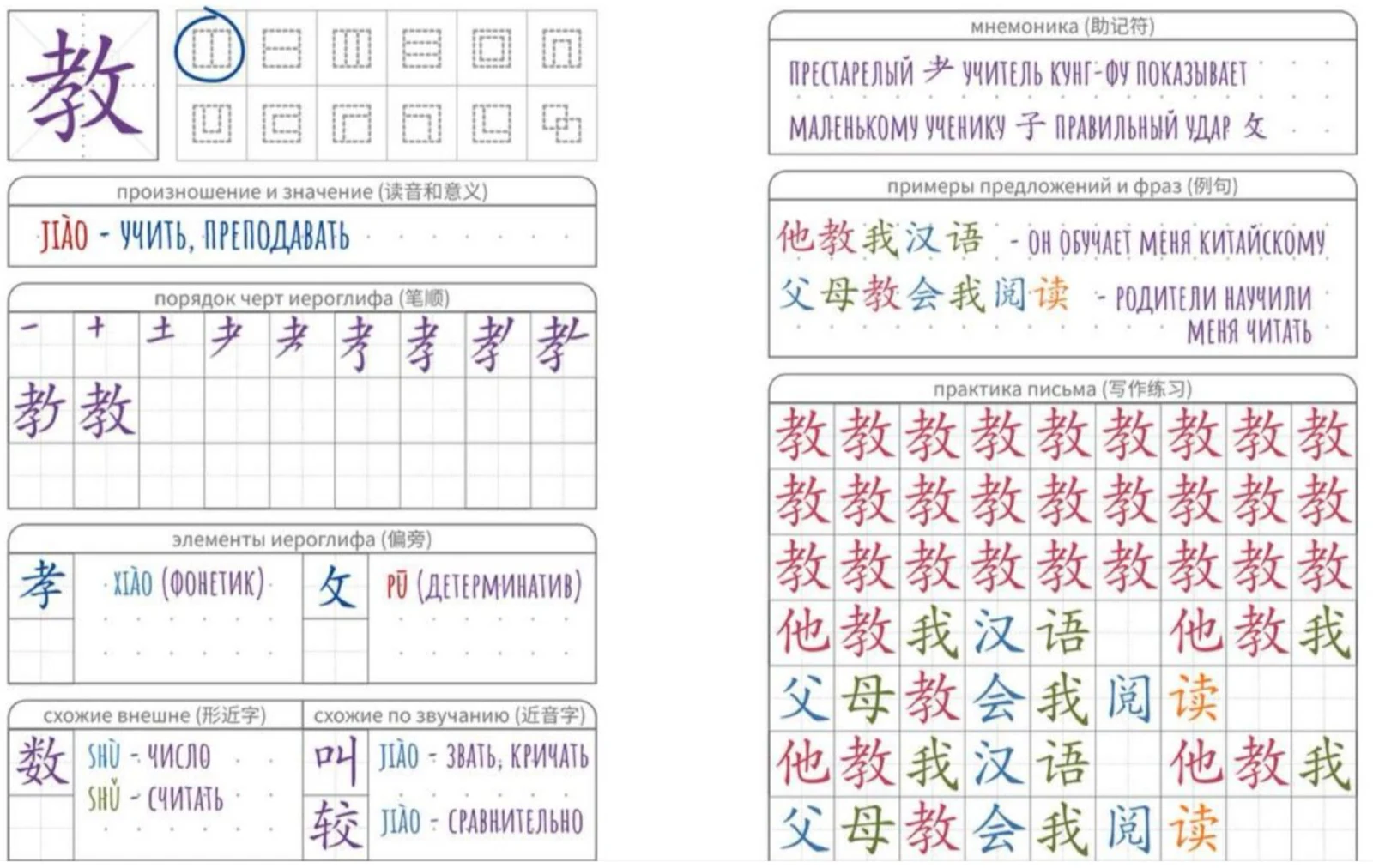
The sheet arrives in the chat.Structure, stroke order, look-alikes, a mnemonic, and a grid on one sheet.
The bot sends one notebook sheet per character right into the chat, with structure, stroke order, similar characters, a mnemonic, examples, and a writing grid.
The diploma research pointed to structure and mnemonics, and in the chat the sheet is always one scroll away.
5. An optional primer
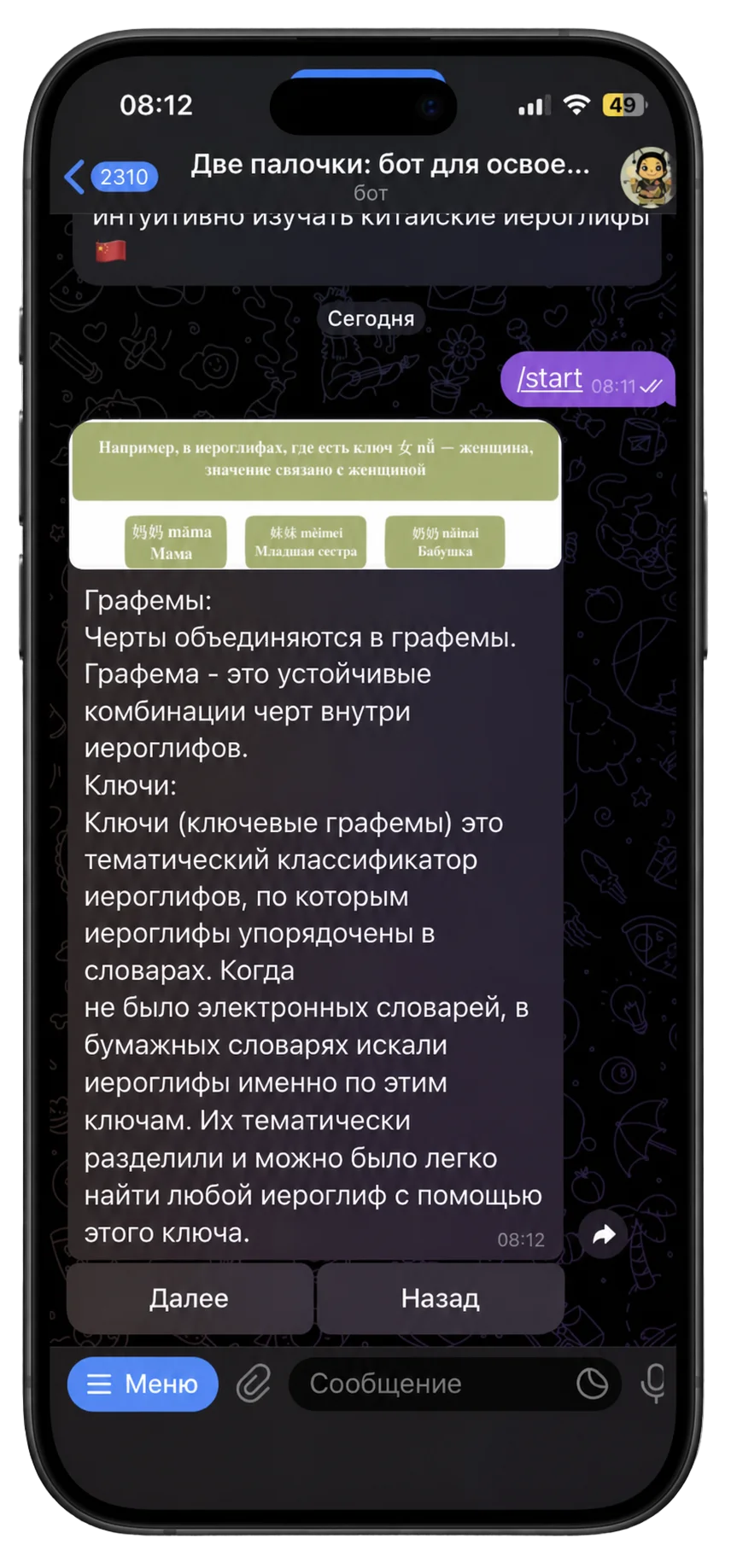
A primer on how characters work helps beginners and slows everyone else down.
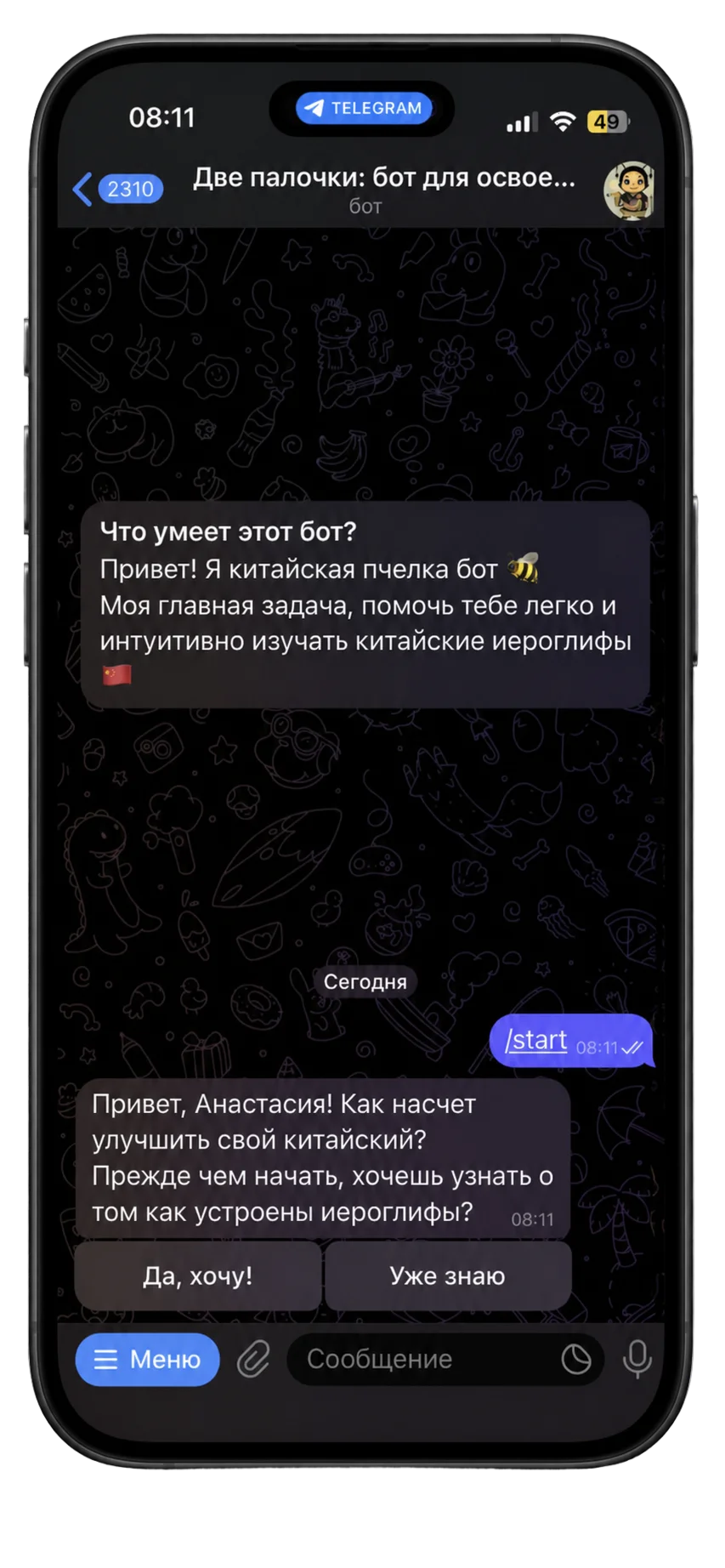
“Yes, show me” or “I already know”
A choice before the primer.
The primer, for those who want it.
So the bot asks first: “Yes, show me” or “I already know”.
People who know the basics can skip it, and the primer is still there for everyone else.
6. The learner’s core loop first
The diploma brief also included live teacher supervision, an HSK statistics dashboard, and audience growth plans.
I shipped the learner’s core loop first: find, save, recall, understand, write. The rest could wait.
Teacher tools only matter once learners come back on their own, so that had to be proven first.
1Find
2Save
3Recall
4Understand
5Write
Results
Three tools became one chat, with nothing to install.
Before: 3 tools
Dictionary
Flashcard app
Paper copybook
Two Sticks: 1 chat
DictionaryFlashcard appPaper copybook
Search, flashcards, notebook sheets, and handwriting, all in Telegram
A few students at the university used it, and I talked with them about how it went. They liked having everything in one place: no switching between apps, and less effort just to keep up. What they missed was pronunciation practice.
One honest limit: the handwriting score shows how similar a drawing is to the character, but it doesn’t check stroke order. And no usage analytics were collected, so all of this comes from those conversations.
The prototype is no longer hosted, because the bot, API, and Web App need paid infrastructure. The public source code shows the working version, under its working name, Chinese Bee.
Next steps
I’d add the voice. Students missed pronunciation practice, and Telegram already has voice messages, so the next step fits right into the chat: hear a word, record it, and get feedback on the tones.
Pronunciation drill, proposed
In the chat,4 steps
Hear the word
Record a voice message
See which tones were off
Try again
Not built yet. Success would mean tone scores improving on the same word over attempts.